
axvelocity is a web template engine module derived from Apache Velocity. Since my Niagara AX license does not include axvelocity, I couldn't find axvelocity in Palette.
But you can find it under My Modules on the platform.
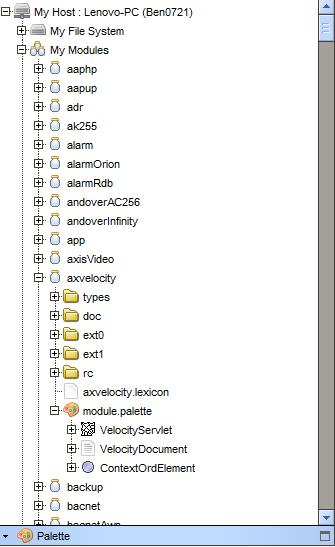
Drag the VelocityServlet under module.palette in the axvelocity module to the Services section of Station to start using it.
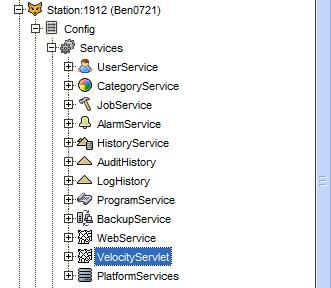
Double-click the VelocityServlet under Services to bring up its Velocity Document Manager view.


In this view, you can click the New button below to add a Velocity document.
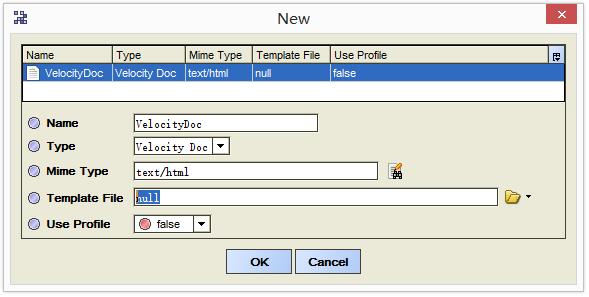
The most important option is to select Template File. This file can be in any format, such as text files, HTML, or ends with vm. Examples are as follows (velocity1.txt).
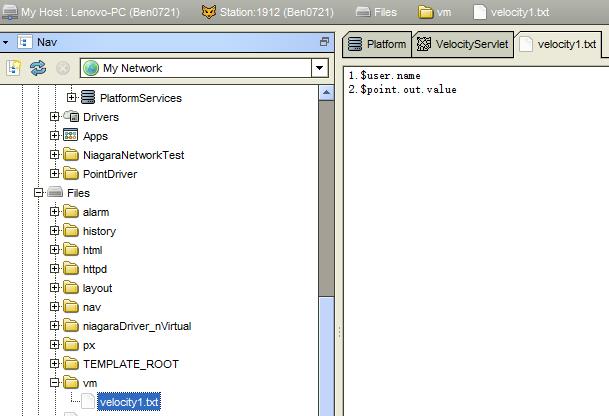
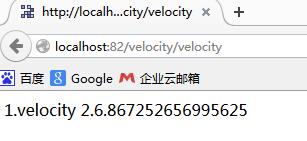
Once the template file is chosen, you can access it through your browser, as shown below.
Here's the question:
The role of the template engine is to display information about different Java objects in the template file. Where do these Java objects come from?
For example, in the template files $user.name and $point.out.value, where do the user and point come from?
See the image below:
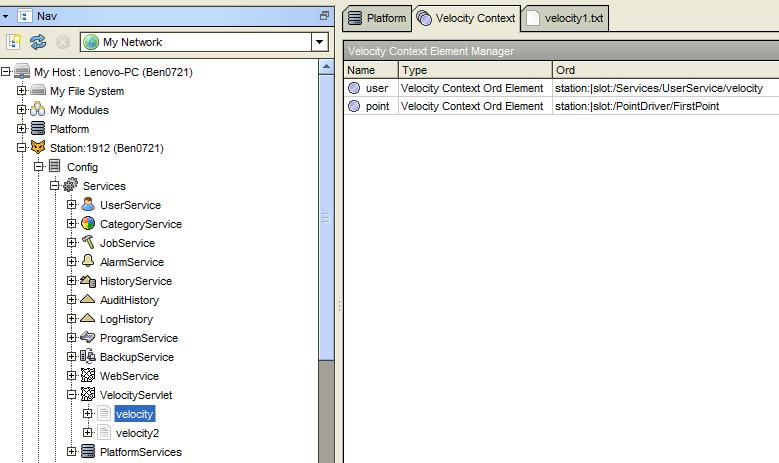
Velocity Document documents require configuration of Java objects such as user and point, with the following property views:
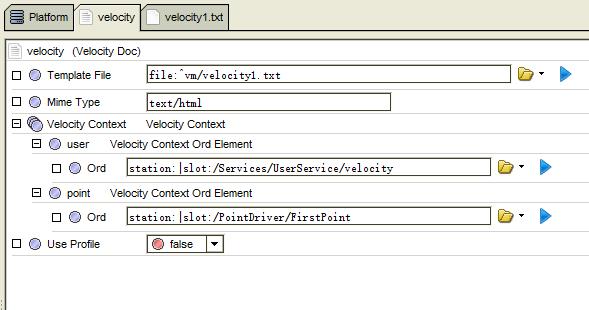
From the above diagram, you can see that you need to add a Velocity Context Ord Element under the Velocity Context property of the Velocity Document.
Usage results:
You can display information about the Niagara system on the HTML interface via the axvelocity module, but using axvelocity to control points within the Niagara system has some issues and is still unclear.
For the syntax of Axvelocity, you can refer to the information on the Apache Velocity official website.
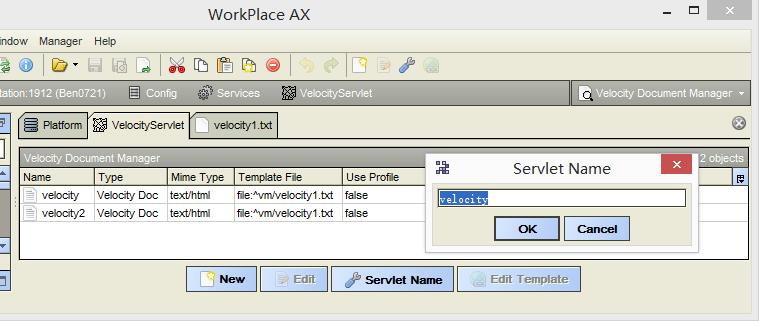
Finally, the Servlet Name settings: after setting, the URL for accessing the velocity document will change. For example, the previous access used the following:
http://localhost:82/velocity/velocity
After changing the servlet name, it becomes:
http://localhost:82/velocityz/velocity
As forembedding PX diagrams in an H TML page, you can use frameset+frame or iframe. The key is to set the correct src, as shown below:
<Frameset cols="300,*">
<Frame src="/ord?File:^html/menu.html" />
<Frame src="/ord?station:|slot:/Services" name="content" />
</frameset>
Or
<body>
<iframe src="/ord?file:^html/menu.html" style="width:19%; height:100%; "></iframe>
<iframe src="/ord?station:|slot:/Services" name="content" style="width:80%; height:100%; "></iframe>
</body>
Pay attention to the following URL:
<body>
<a href="/ord?station:|slot:/Services/UserService" target="content">User Management </a>
<br/>
<a href="/ord?history:/Ben0721/AuditHistory" target="content">History Record</a>
<br/>
<a href="/velocity/velocity" target=" content">velocity</a>
<br/>
<a href="/velocity/velocity2" target="content">velocity2</a>
</body >
Velocity's access connection is different, without starting with /ord?.
You can get the ORD in Workplace by using Ctrl + L. Remove the local:|fox:1912| before the ORD.
Source : Niagara AX: Using axvelocity - Happy Ouyang Tianmei 1114 - Blog Park